Living the design-to-code dream
Turning Figma variable edits into versioned npm releases with a lightweight plugin, a rolling pull request, and a pipeline that decides the version.
This flow should sound familiar to any frontend developer: a designer makes a change in Figma, and now we need to propagate it to our code. By nature, that process involves an entire handoff from UX to engineering. As a company matures, it quickly realizes this flow will not scale. When those changes are not aligned in the code right away, we get drift. The UX team ends up sketching UI with updated assets while production screens still show up with old colors, spacing, and typography.
Scaling this process means automating it, and today's design tools do not make that easy out of the box. Off-the-shelf integrations make assumptions about repository structure, token formats, and release workflows that rarely match an existing organizational stack. Most teams end up building a custom bridge of their own.
This note walks through one approach that puts the ideas from design tools, tokens, and implementation into practice. The goal is to satisfy both sides of the handoff: designers stay focused on design without having to learn code, version control, or release mechanics, while engineers still get a reviewable diff, an approval gate, and a versioned package. We will be focusing on tokens here, though the same pattern applies to icons.
The shape of the bridge
There's more than one way to build this bridge. The source of truth for design tokens can sit either in Figma or in Git. With Git as the source, tokens are authored in the repository and Figma consumes them, just like our codebase does. That keeps the repository authoritative, but designers end up editing tokens somewhere other than the canvas. Our example goes the other way and makes Figma the source of truth, because it is friendlier to designers, who keep working in the tool they already know.
With Figma in the driver's seat, the pipeline splits into two halves: a Figma plugin that turns canvas edits into a pull request, and a CI workflow that turns the merged pull request into a versioned package. The repository tracks only a single raw JSON snapshot of the tokens, while all code artifacts are generated on release.
Designer
Figma plugin
Review
Pull request
Automation
CI workflow
Release
Versioned package
Inside the plugin
Our workflow starts when a designer has changes they want to publish. Opening our custom-built Figma plugin shows them their pending changes alongside a simple screen to publish their work.
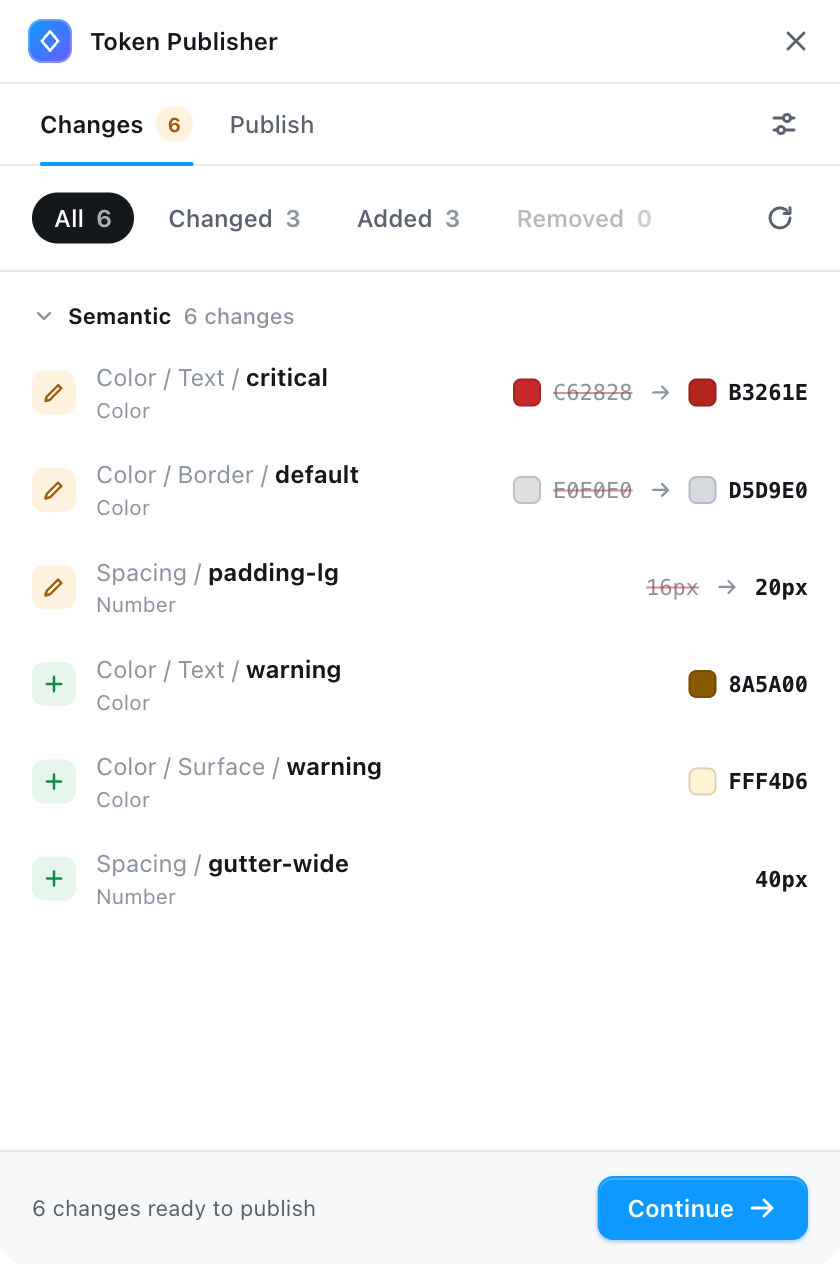
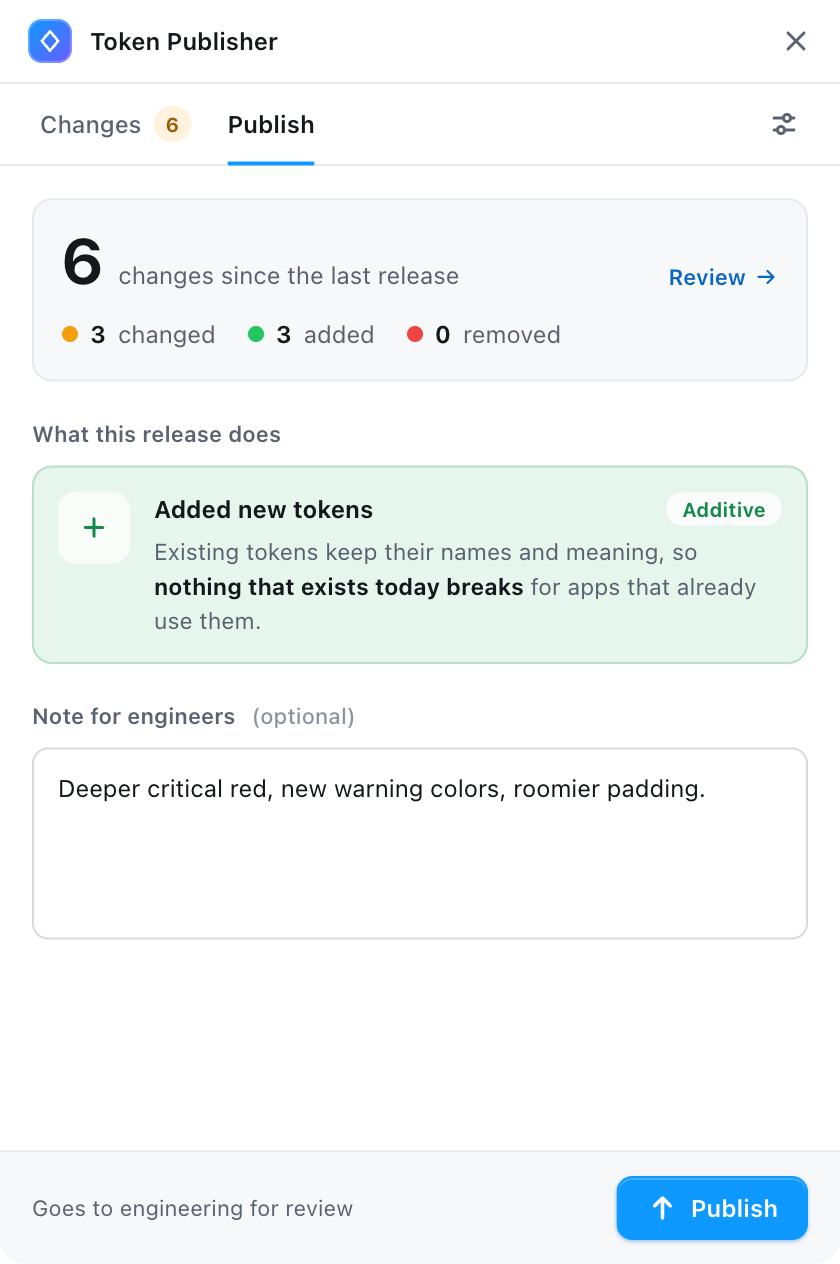
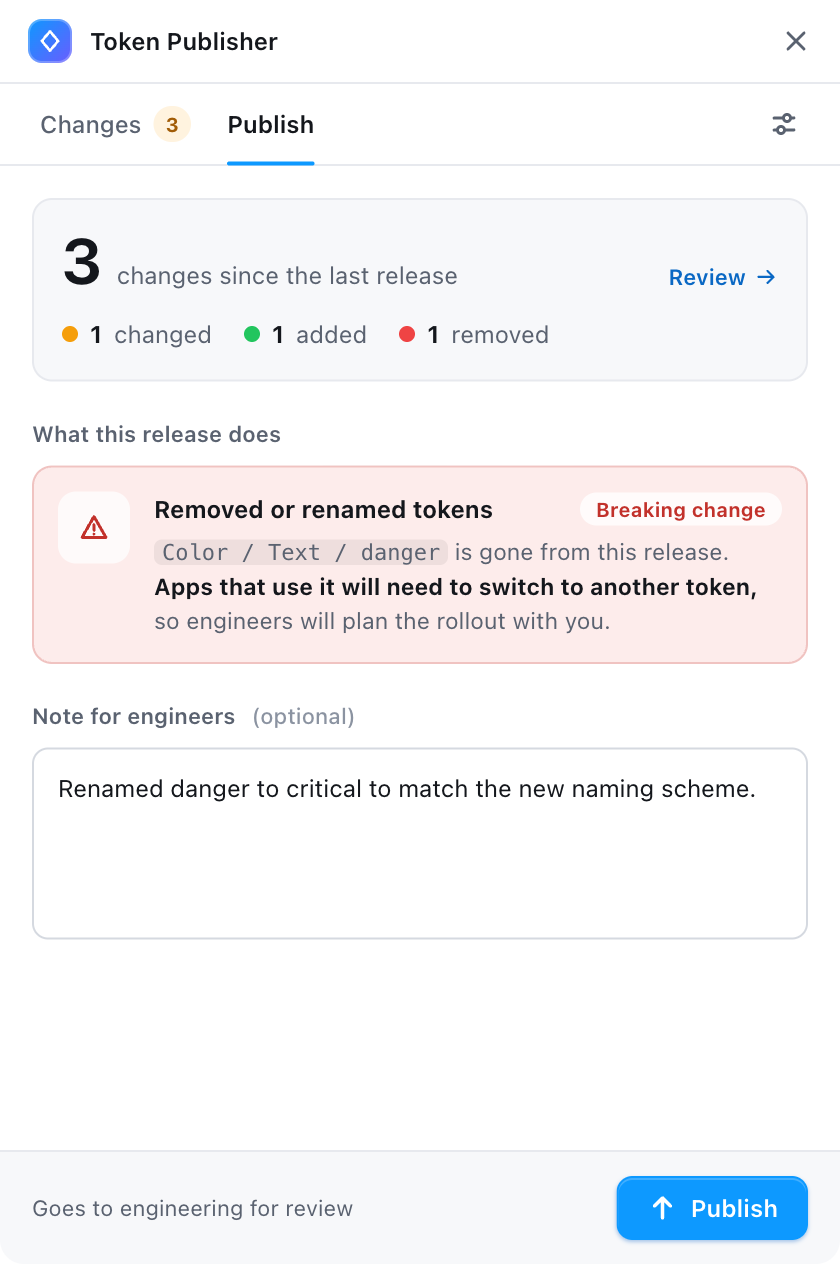
Behind the scenes, the plugin compares the current Figma variables with the token file on main. It does more than list what differs. It tells the designer, in plain language, what kind of release this is:
- Updated existing values (
patch): colors, sizes, or other values changed. - Added new tokens (
minor): new tokens that didn't exist before. - Removed or renamed tokens (
major): tokens were deleted or their names changed, which breaks any app that uses them.
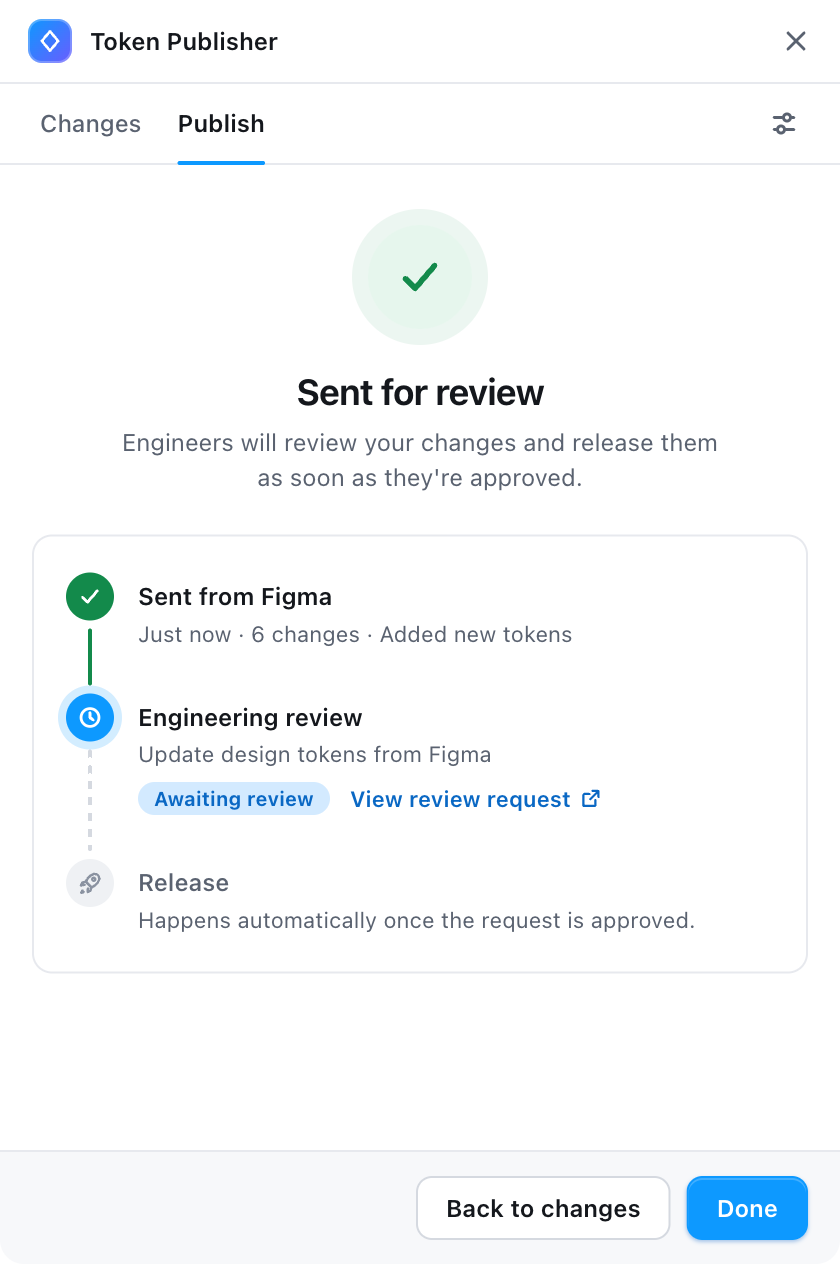
The designer adds a note for engineers and presses "Publish". The plugin then commits the snapshot to a branch and opens a pull request, using the note as its description. After publishing, the designer sees where the request stands.
Handling incremental changes
Figma holds a single live state, so two designers never conflict inside it. Git is where conflicts appear, because every publish is a snapshot of that state taken at a different moment, and a newer snapshot already contains everything an older one did.
So the plugin never opens a second pull request. Each publish either opens one or, if one is already open, updates it with the latest snapshot. Two designers publishing on the same afternoon end up in the same pull request, and its diff always compares main with the current state of Figma.
Versioning our package
After a merge, the pipeline compares the token file with the copy at the latest git tag and derives the major, minor, or patch bump from those same rules. When a release mixes them, the highest one wins. It then reads the latest tag, applies the bump, publishes the package, and pushes the next tag.
Because those rules follow the token names applications depend on, a drastic color change is still a patch. How much a change matters visually belongs in the designer's note and in review, while the version number reflects the contract.
What's in the box?
From the single JSON snapshot, the pipeline generates everything applications need, in the formats each implementation prefers:
- SCSS variables for stylesheets that rely on compile-time values.
- TypeScript constants for code that needs tokens in JavaScript, exposed in whichever shape suits the consumer.
The pipeline generates CSS custom properties as well, though the compiled options are the better choice. With them, a removed or renamed token breaks the build of any application still using it, which is exactly what a major bump promises. A CSS custom property that no longer exists fails silently at runtime, so the handshake between design and code only sticks when the compiler is in on it. Custom properties still earn their place for runtime theming, such as switching between light and dark modes without recompiling.
Dream come true
With that, we have ourselves a fully automated workflow, taking a change on the canvas all the way to a versioned package. Ours is just one approach among many, of course. The real takeaway is that automating the handoff is key, and doing it well means separating the designer experience from the developer experience. Once we build the bridge that ties them together, the drift between canvas and production disappears.